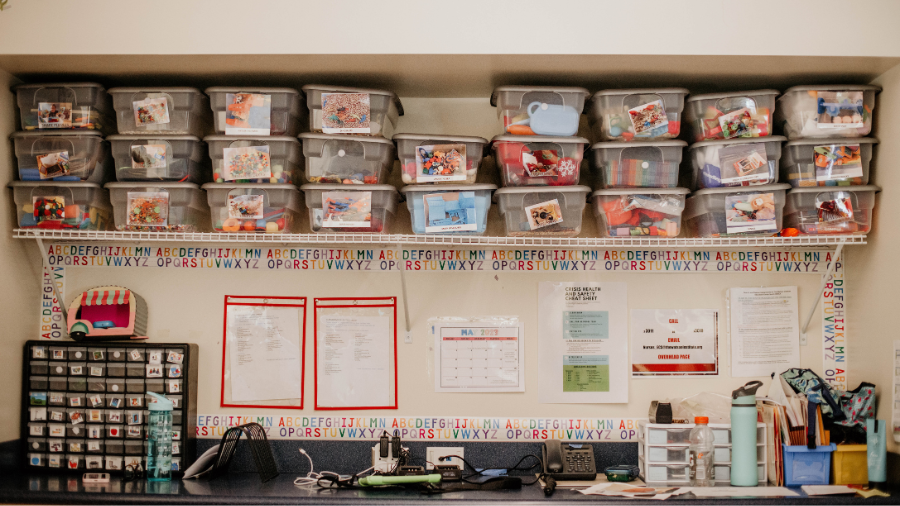
The Watson Classroom Planning Checklist helps teachers prioritize the tasks that ought to happen when developing a new classroom.
Example:
I am a new Special Education Elementary Teacher who is responsible for starting up a new support classroom for students with significant learning needs. My students spend a great deal of their day with me in the classroom and only leave for specials. There is so much to do to pull together this class. I have so many ideas of how I want it to be to best support my students; however, I am feeling overwhelmed and don’t know where to start. Please advise.
Watson Classroom Planning Checklist
It is not uncommon for teachers (new or seasoned) to feel overwhelmed with all the tasks needed to start a new classroom. Consider using the Watson Classroom Planning Checklist (see resources below). This checklist prioritizes the minimum that should occur in a start-up classroom. It includes the following 5 sections:
1) IEP At a Glance
2) Independent Work Stations
3) Centers
4) Schedules
5) Data Collection
Quick Facts
- Child’s Age: 6-17
- Planning Effort: High
- Difficulty Level: Moderate
Pre-requisites
- Classroom resources and materials
- Student IEPs
Steps to Setting Up a Special Education Classroom
1. Develop an IEP AT A GLANCE for each of your students.
- This should be limited to 1 page and include the following sections: 1) bulleted goals, 2) strengths, 3) motivators, and 4) specially designed instruction.
- These documents should be posted for classroom staff to have quick access to, along with student data sheets. This document can also be shared with inclusion and specials teachers.
- The document is utilized to create the classroom, including centers and independent work jobs.
- See Documents and Related Resources for related situation on this site.
2. Develop independent work stations for each of your students.
- Work stations are organized with some symbol the student can access to denote beginning and end.
- A picture or written cue or object is provided at the end of the visual system to denote what happens when the work is completed.
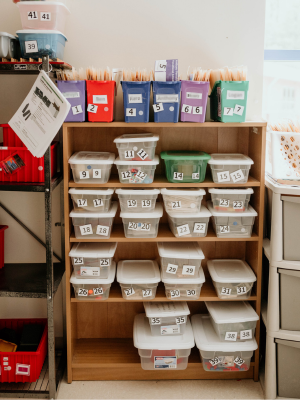
- Visual organization for each station is provided (bins, shelving, etc. )
- An organizational system for independent work storage has been developed.
- See Documents and Related Resources for a link to a related situation on this site.
3. Develop learning centers.
- A minimum of 5 centers from a possible 9 should be available. Possibilities include Language Master, Listening Center, Writing Center, Manipulative Center, Sensory Area, Quiet/Leisure area (books, magazines, music player), Art area, Leisure for older students with games, books, magazines, academic centers, work task centers.
- Clearly label center areas with visual supports as needed.
- Choose materials based on information about the student from IEP at a Glance.
4. Develop Schedules (Schedules are a very important task to accomplish at the start of school as students begin to recognize and take comfort in the routines and activities in their environment.)
- Develop a visual schedule of the general day and post where it is visible and can be accessed.
- Develop an individual schedule appropriate to each student that can be accessed daily.
- Develop a schedule for paraprofessionals and other support staff and post.
- If Velcro pictures are used as schedules, develop an organized storage system.
5. Develop Data system(s).
- Develop a system ( i.e., clipboard, notebook, or other organized system) for each student.
- Develop data sheets that are prepared and ready to use for each GOAL/objective/benchmark on the IEP.
Resources
Matching Work Systems (related situation on this site)
IEP At a Glance (related situation on this site)
Setting up a Structured Classroom (Watson Institute Resource)
Special Education Internet Resources
This resource was authored by Watson Institute Special Education Consultant, Phil Mauskapf, MS, MT-BC
If you have questions or concerns about the Watson Institute’s use of this information, please contact us.