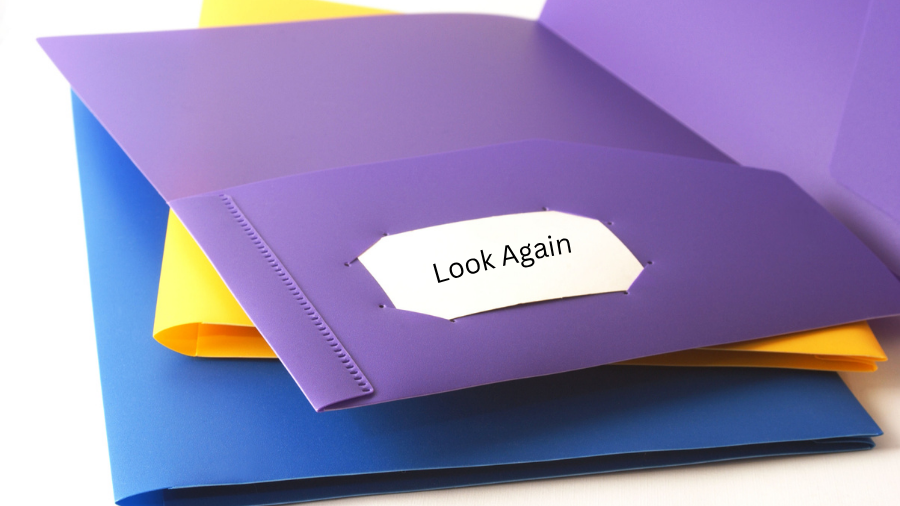
A Look Again Folder can help educators provide positive corrections to students’ schoolwork while minimizing negative responses.
Why is a Look Again Folder helpful?
Using a Look Again Folder can help students who may become upset when their teacher makes corrections on their schoolwork or calls them to their desk for a private review of their errors. Some students react poorly to receiving corrections directly and may do better receiving them through a nonverbal, positive prompt, such as the folder method.
The “Look Again” folder is a non-verbal signal to students that they have made some mistakes on their work, but corrections can be made. Inside the folder, the student will find their schoolwork in the left-hand pocket marked “Look Again”, along with a simple direction card or Post-it note that tells them exactly what they need to do to fix the errors.
The note card makes it so that no marks appear on the schoolwork itself, so students can change the answers without worrying about the red marks remaining. When the student is finished making corrections, they should place the paper in the right-side pocket of the folder, which will be marked “I’m Done”. Then, return the folder to the teacher or place it in a “Finished Work” bin.
Quick Facts
- Child’s Age: 6-18+
- Planning Effort: Low
- Difficulty Level: Easy
Items Needed to Create a Look Again Folder:
- 2-pocket folder(s)
- index cards or Post-it notes
- bin for “Finished Work”
How to use a Look Again Folder:
- In a two-pocket folder, mark the left pocket “Look Again” and the right pocket “I’m Done”.
- Explain to your student that you have a way for them to correct mistakes on their schoolwork by using the simple correction directions they will find on an index card or Post-it note that you’ve provided to them.
- Show your student how to transfer their work from the “Look Again” pocket to the “I’m Done” pocket after they have made corrections to their work.
- Keep a “Finished Work” bin on your desk and teach your students to place their completed “Look Again” folders in that bin when they’ve finished making corrections.
- When you come across corrections that need to be made on papers, use an index card or Post-it note to briefly list what needs to be fixed. For example:
- Check punctuation on #3
- Re-read page 16 to answer question #7
- When corrections need to be made, give the Look Again Folder to your student, placing both the notes and schoolwork in the “Look Again” side of the folder. Privately remind the student to place the folder in the “Finished Work” bin on your desk after the corrections have been made.
- Use positive reinforcement when your students are using the system to encourage productive and appropriate responses to corrections!
Look Again Folder Resources
This resource was authored by Watson Institute Special Education Consultant, Abby Martello, M.Ed.
If you have questions or concerns about the Watson Institute’s use of this information, please contact us.